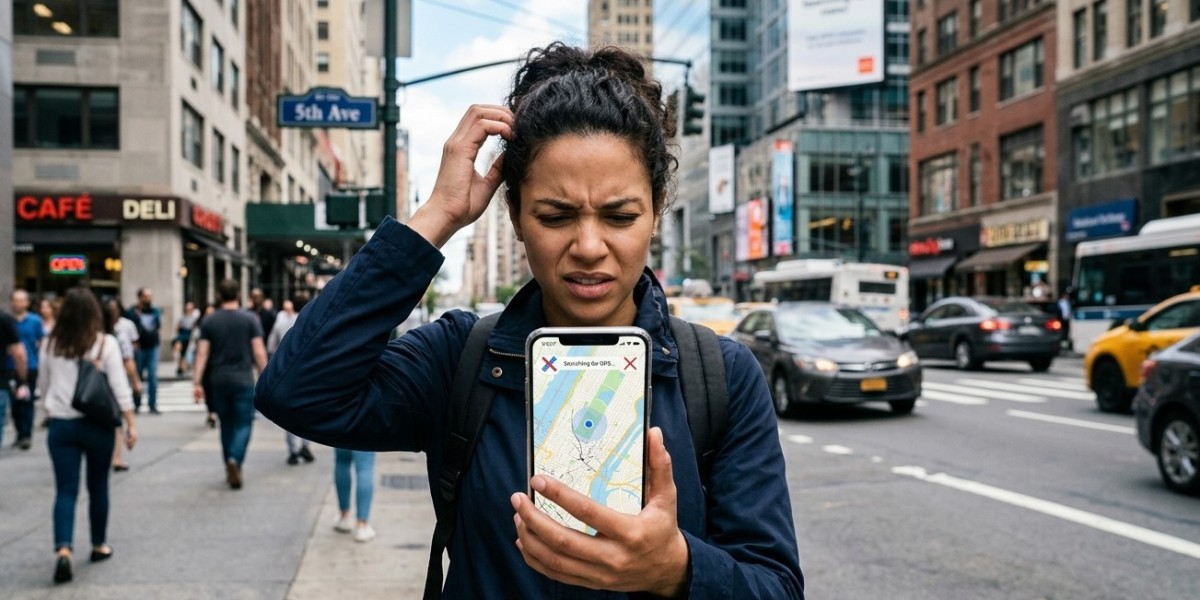

A smartphone GPS that suddenly stops working properly can make everyday tasks much more difficult. Whether you are using navigation to find a destination, checking your location on a map, ordering a ride, or sharing your location with someone, inaccurate GPS information can quickly become frustrating. In many cases, the problem is caused by location settings, weak signals, software glitches, or application permissions. However, persistent GPS problems may require professional cell phone repair El Paso services to determine whether the issue is related to the phone's internal hardware.
GPS problems can affect both iPhone and Android smartphones. Your device may show the wrong location, take too long to find your position, continuously search for a signal, or suddenly lose location information. If you are experiencing these issues on an iPhone, professional iPhone repair El Paso services can help determine whether the problem is caused by software or hardware. SmartPhone Solutions can also assist with diagnosing smartphone connectivity and hardware problems when standard troubleshooting does not resolve the issue.
How Does Smartphone GPS Work?
GPS, or Global Positioning System, allows your smartphone to determine its location by receiving signals from satellites. Your device uses information from multiple satellites to estimate its position.
Modern smartphones often combine GPS information with other technologies, including cellular networks, Wi-Fi, Bluetooth, and motion sensors. This combination can help the phone determine your location more quickly and accurately.
Because several systems work together, GPS problems do not always mean that the GPS hardware itself is damaged. A disabled location setting, restricted application permission, poor environmental conditions, or software problem can produce similar symptoms.
1. Location Services May Be Turned Off
One of the most common reasons GPS does not work correctly is that location services have been disabled.
Smartphones allow users to turn location services on or off for privacy and battery-management reasons. If location access is disabled, navigation and other applications may not be able to determine your position accurately.
Open your phone's privacy or location settings and confirm that location services are enabled.
If they are already enabled, turning them off temporarily and then switching them back on can sometimes refresh the connection.
2. The App May Not Have Location Permission
Even when location services are enabled, individual applications may not have permission to access your location.
For example, your maps application may have been set to "Never" or may only be allowed to access your location under certain conditions.
Check the application's permissions in your phone settings. Make sure the navigation or location-based application has the appropriate permission.
If the application requires continuous location access while navigating, selecting an appropriate location permission can improve functionality.
3. Your Smartphone May Have a Weak GPS Signal
GPS signals can be affected by your surroundings.
Tall buildings, underground parking areas, tunnels, dense forests, and enclosed structures can make it more difficult for a smartphone to receive reliable satellite signals.
If GPS works outdoors but becomes inaccurate inside a building, the phone may not have a hardware problem.
Try moving to an open outdoor area and give the device some time to establish a location. Once the phone has a clear view of the sky, GPS accuracy may improve.
4. Restart Your Smartphone
Temporary software errors can interfere with GPS functionality.
Your smartphone continuously runs background services that manage location, networking, sensors, and applications. Occasionally, one of these services may stop responding correctly.
Restarting the phone can close problematic processes and reload essential system services.
Turn the device off completely, wait a few seconds, and then turn it back on. After restarting, open your maps application and test the GPS again.
This simple solution can sometimes fix location problems without requiring any additional changes.
5. Check Airplane Mode
Airplane mode disables or restricts wireless communication features on many smartphones.
Although GPS hardware can sometimes continue operating independently, airplane mode can interfere with the network-assisted location features that help smartphones determine a position more quickly.
Check your quick settings or control center and make sure airplane mode is disabled.
If it is already disabled, turning it on briefly and then turning it off can refresh your phone's wireless connections.
6. Check Your Internet Connection
GPS and internet connectivity are different technologies, but many smartphone location services use cellular data or Wi-Fi to improve location performance.
For example, maps applications may need an internet connection to download map information, traffic conditions, addresses, and other location data.
If your mobile data is not working properly, the navigation application may appear to have a GPS problem even though the GPS receiver itself is functioning.
Try connecting to a reliable Wi-Fi network or checking whether your mobile data is working correctly.
7. Your Maps Application May Need an Update
An outdated navigation application can sometimes cause location-related problems.
Application developers regularly release updates to fix bugs, improve compatibility, and enhance performance. If your maps application has not been updated for a long time, check your device's official app store for an available update.
After updating the application, restart it and test the location function again.
If the GPS problem only happens inside one application while other location-based apps work normally, the application itself may be responsible.
8. Your Smartphone Software May Be Outdated
The operating system controls many of the functions that applications use to access GPS and other sensors.
An outdated operating system may contain bugs or compatibility problems that affect location services.
Check your phone's software update settings and install supported updates when available.
If GPS problems started immediately after a software update, the issue may be related to a temporary software bug. Manufacturers sometimes release follow-up updates to resolve issues discovered after major releases.
9. Incorrect Date and Time Settings
Incorrect date and time settings can occasionally affect location-related services.
Modern smartphones normally update the date and time automatically using network information. If automatic time settings have been disabled and the device's clock is significantly incorrect, certain network-dependent services may behave unexpectedly.
Check your date and time settings and enable automatic configuration if available.
After correcting the time, restart the location application and test GPS accuracy again.
10. Battery-Saving Features May Restrict GPS
Battery-saving modes are designed to reduce power consumption. Depending on your device, these settings may restrict background location activity or limit how frequently applications can access location information.
This can affect navigation and other applications that need continuous location updates.
If your GPS becomes unreliable when battery-saving mode is active, temporarily disable the feature and test the phone again.
This can help determine whether the problem is related to power-management settings rather than a hardware failure.
11. Clear or Reset Location Settings
If your location services have become misconfigured, resetting relevant settings may help.
Depending on your smartphone model, you may be able to reset location and privacy settings or reset network settings.
Keep in mind that resetting network or privacy settings can affect saved Wi-Fi networks, permissions, and other preferences. Review the options carefully before confirming a reset.
Afterward, give your maps application the necessary permissions and test the GPS in an open area.
12. A Protective Case May Interfere With Certain Sensors
Most smartphone cases do not cause GPS problems, but poorly designed or unusually thick cases can potentially affect certain wireless or sensor functions.
If GPS problems began after installing a new case or accessory, temporarily remove it and test the phone.
This is a quick way to eliminate the accessory as a possible cause.
13. Physical Damage Can Affect GPS Performance
If your smartphone has recently been dropped, crushed, or exposed to moisture, internal hardware may be responsible for GPS problems.
The GPS system depends on internal components, antennas, connections, and the motherboard. Damage to any of these parts can affect location accuracy or cause the GPS to stop functioning.
A phone may look fine externally while still having internal damage.
If the GPS stopped working immediately after an impact, professional diagnostics are recommended rather than repeatedly changing software settings.
14. Water Damage Can Cause GPS Problems
Liquid exposure is another possible cause of GPS failure.
Moisture can reach internal components through charging ports, speaker openings, damaged seals, or cracks. Even when a smartphone continues operating after getting wet, corrosion can develop inside the device later.
If GPS problems appeared after water exposure, have the device inspected as soon as possible.
Do not assume that placing the phone in rice will repair internal corrosion. Professional inspection is a better approach when liquid damage is suspected.
15. GPS Antenna or Internal Component Failure
A more serious GPS problem may involve the antenna or another internal component.
If the phone consistently shows inaccurate locations outdoors, takes an unusually long time to establish a location, or cannot determine your position even after software troubleshooting, hardware may need to be examined.
For customers seeking Samsung phone repair El Paso, professional diagnostics can help determine whether a Galaxy device has an antenna, motherboard, or other internal problem affecting location services.
Similarly, users looking for IPhone Service can have an iPhone inspected when GPS problems continue despite normal software troubleshooting.
How to Troubleshoot Smartphone GPS Problems
Before visiting a repair professional, try these basic steps:
- Confirm that location services are enabled.
- Check application location permissions.
- Turn airplane mode off.
- Restart the smartphone.
- Test GPS outdoors in an open area.
- Check your internet connection.
- Update the maps application.
- Install available system updates.
- Disable battery-saving mode temporarily.
- Check date and time settings.
- Remove a newly installed case or accessory.
- Reset relevant network or location settings if necessary.
These steps can solve many software and configuration-related GPS problems.
When Should You Seek Professional Repair?
If GPS continues to malfunction after completing basic troubleshooting, professional diagnosis may be necessary.
You should consider professional assistance when:
- GPS consistently shows the wrong location.
- Navigation cannot establish your position.
- GPS frequently loses your location outdoors.
- Multiple location-based applications have the same problem.
- The problem started after a drop.
- The phone was exposed to water.
- Other connectivity features are also malfunctioning.
- The device has recently undergone a repair.
- GPS performance continues to deteriorate.
A technician can inspect the relevant internal components and determine whether the problem requires hardware repair.
Why Professional Diagnostics Are Important
Replacing components without identifying the actual cause can result in unnecessary expenses. A GPS problem may come from software, application permissions, network services, an antenna, or motherboard-related damage.
Professional diagnostics help separate these possibilities and identify the most appropriate solution.
For people searching for cell phone repair El Paso, a complete diagnostic evaluation can be particularly useful when GPS problems occur alongside charging, battery, camera, or connectivity issues.
Preventing Future GPS Problems
Although some GPS failures cannot be prevented, good smartphone care can reduce the risk of hardware-related issues.
Keep your device protected from significant drops and moisture. Avoid exposing it to extreme temperatures and use reliable accessories.
Keep the operating system and important applications updated. Review location permissions regularly and avoid installing suspicious applications that request unnecessary access to your device.
If your phone develops GPS problems after physical damage, getting it inspected early may help prevent additional internal problems.
Final Thoughts: Fixing Smartphone GPS Problems
A smartphone GPS that is not working properly can be caused by something as simple as disabled location services, incorrect application permissions, poor signal conditions, outdated software, battery-saving settings, or a temporary system glitch. More persistent problems may point toward antenna damage, water exposure, or another internal hardware issue.
Start with basic troubleshooting such as checking location permissions, restarting the device, testing GPS outdoors, updating software, and reviewing network settings. If the problem continues, professional diagnosis is the best way to determine whether your phone requires hardware repair.
Whether you need cell phone repair El Paso, iPhone repair El Paso, or Samsung phone repair El Paso, addressing GPS problems early can help restore reliable location functionality. SmartPhone Solutions can help identify whether your device needs software troubleshooting, internal component repair, or additional diagnostic testing. For iPhone users experiencing continued location problems, professional IPhone Service can also help determine the most appropriate solution.