
A smartphone microphone is essential for clear phone calls, voice messages, video recordings, online meetings, voice searches, and many other everyday activities. When a microphone becomes less clear, other people may hear muffled, distant, distorted, or unusually quiet audio. While microphone problems can sometimes be caused by something simple, such as dust covering the microphone opening, persistent issues may indicate software problems, moisture exposure, physical damage, or internal component failure. Understanding the common causes can help users troubleshoot the issue and determine when professional attention is necessary. At NanoTech Mobile, experienced technicians can diagnose smartphone audio problems and identify the appropriate repair solution. Whether you need dependable iphone repair in regina or professional samsung phone repair in regina, recognizing microphone problems early can help maintain reliable communication.
Why Smartphone Microphones Become Less Clear
Smartphones typically contain multiple microphones positioned in different areas of the device. These microphones may be used for phone calls, noise cancellation, video recording, speakerphone functions, and other features.
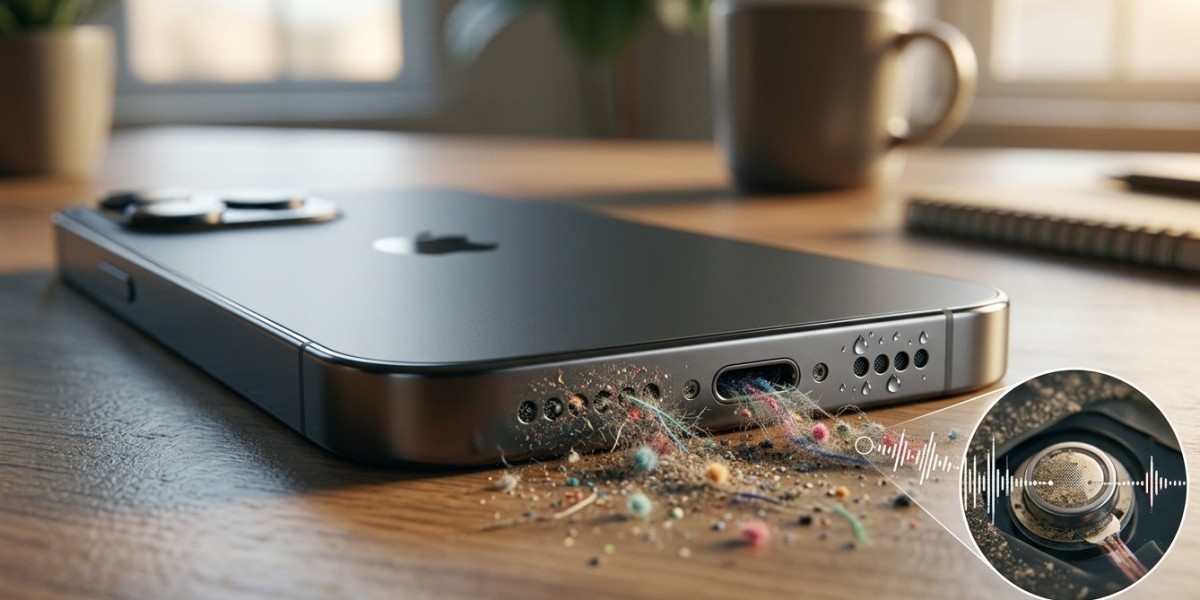
Because microphone openings are exposed to the surrounding environment, they can gradually collect dust, lint, moisture, and other debris.
Other factors, including software errors, accidental drops, and component wear, can also affect microphone performance.
1. Dust and Dirt Blocking the Microphone
One of the most common causes of poor microphone quality is a blocked microphone opening.
Pocket lint, dust, dirt, and other particles can accumulate around the small microphone openings over time. Even partial blockage can reduce the amount of sound reaching the microphone.
Users may notice that their voice sounds:
- Muffled.
- Quiet.
- Distant.
- Less detailed.
- Intermittent.
Keep the microphone area clean and avoid pushing debris deeper into the opening.
2. Protective Cases Covering the Microphone
A poorly designed or incorrectly installed phone case can partially cover a microphone opening.
This can happen when the case is not designed specifically for the smartphone model or when its openings do not align properly.
If microphone quality changed after installing a new case, remove the case temporarily and test the microphone again.
A noticeable improvement may indicate that the accessory is interfering with sound capture.
3. Moisture and Liquid Exposure
Moisture can significantly affect microphone performance.
A smartphone exposed to rain, spills, humidity, or other liquids may develop muffled or distorted audio.
Liquid can interfere with the microphone membrane and may also reach internal components.
Even if the microphone initially continues working, moisture-related corrosion can cause problems later.
If microphone issues begin after liquid exposure, professional assessment is recommended.
4. Physical Damage After a Drop
A smartphone microphone is a small and sensitive component.
A significant impact can damage the microphone itself, its housing, or the internal connection linking it to the mainboard.
If microphone problems begin immediately after dropping the phone, hardware damage should be considered.
Other symptoms may include charging problems, speaker issues, camera abnormalities, or connectivity problems.
5. Software Glitches
Not every microphone problem is caused by physical damage.
Temporary software glitches can interfere with microphone access or audio processing.
Restarting the smartphone can sometimes resolve temporary problems.
Also check whether the microphone works correctly in multiple applications. If it works in one application but not another, the issue may be related to software permissions or the specific application.
6. Incorrect Microphone Permissions
Applications require permission to access the microphone.
If microphone permissions are disabled, an application may not capture audio correctly.
Review the privacy and permission settings for applications that use voice features.
If the microphone works normally during phone calls but not in a particular application, checking that application's microphone permission is an important troubleshooting step.
7. Background Noise and Environmental Conditions
Sometimes the microphone itself is working correctly, but environmental conditions make recordings sound unclear.
Strong wind, traffic, crowds, machinery, and other background sounds can overwhelm a smartphone microphone.
Noise-cancellation systems may reduce some unwanted sounds, but they cannot eliminate every environmental disturbance.
Test the microphone in a quiet location to determine whether the problem occurs regardless of surroundings.
8. Problems With Noise Cancellation
Many smartphones use multiple microphones to reduce background noise during calls and recordings.
If one of these microphones develops a problem, audio processing may not work as expected.
You might experience unusual background noise, inconsistent voice clarity, or strange audio behaviour during calls.
Because multiple microphones can work together, professional diagnostics may be needed to identify which component is causing the problem.
9. Damaged Internal Audio Components
Persistent microphone problems can sometimes indicate a fault with an internal audio component.
A damaged connector, audio circuit, or other internal component can interfere with microphone operation.
This is particularly important when microphone problems occur alongside other unexplained hardware symptoms.
Professional testing can help determine whether the issue is limited to the microphone or connected to a broader internal problem.
10. Aging and Normal Wear
Smartphone components can experience wear over time.
Repeated exposure to dust, moisture, heat, and everyday environmental conditions can gradually affect microphone performance.
Although a microphone does not necessarily have a fixed lifespan, declining audio quality should not automatically be considered normal aging.
A professional inspection can determine whether cleaning, component replacement, or another solution is appropriate.
How to Test a Smartphone Microphone
Before seeking professional repair, perform a few simple tests.
First, remove the protective case and carefully inspect the microphone openings.
Next, make a short voice recording and play it back.
Try making a phone call and testing the speakerphone function.
You can also test microphone performance in a video recording or another trusted application.
If the microphone performs poorly across multiple functions, the issue may be hardware-related.
Safe Ways to Clean Microphone Openings
Keep microphone openings free from visible dust and debris, but clean them carefully.
Use a soft, dry method recommended for your specific device and avoid inserting sharp objects into the microphone opening.
Do not pour liquids or cleaning solutions directly onto the phone.
Aggressive cleaning can damage delicate microphone components or push debris further inside.
When Professional Microphone Repair Is Needed
Professional service should be considered when:
- The microphone remains muffled after basic cleaning.
- Your voice sounds consistently quiet.
- Recordings contain distortion or static.
- Problems started after liquid exposure.
- The phone was recently dropped.
- Multiple microphone functions are affected.
- Software troubleshooting does not resolve the issue.
At NanoTech Mobile, technicians can inspect the microphone system and related internal components to identify the underlying cause.
Preventing Future Microphone Problems
Good smartphone maintenance can help preserve microphone performance.
Use a properly fitted case, keep the device away from excessive moisture, avoid dusty environments when possible, and handle the phone carefully.
Keep microphone openings clean without using aggressive tools.
If the smartphone experiences a significant drop or liquid exposure, pay attention to changes in microphone and audio performance afterward.
Conclusion
Smartphone microphones can become less clear over time because of dust, dirt, protective case interference, moisture exposure, physical impacts, software glitches, permission settings, environmental noise, noise-cancellation problems, internal component faults, or general wear. Simple troubleshooting such as removing the case, checking permissions, restarting the phone, testing different applications, and carefully cleaning visible debris may resolve minor issues. However, persistent muffled or distorted audio especially after a drop or liquid exposure may require professional diagnosis. At NanoTech Mobile, experienced technicians can assess smartphone microphone and audio problems and recommend an appropriate solution. Whether you need reliable iphone repair in regina or professional samsung phone repair in regina, addressing microphone problems early can help restore clear communication and keep your smartphone performing reliably.